Den Haag in 3D
Client
Municipality of The Hague
Services
Development
Web Design
User Research
Industry
Public Sector
Year
2025
Infos
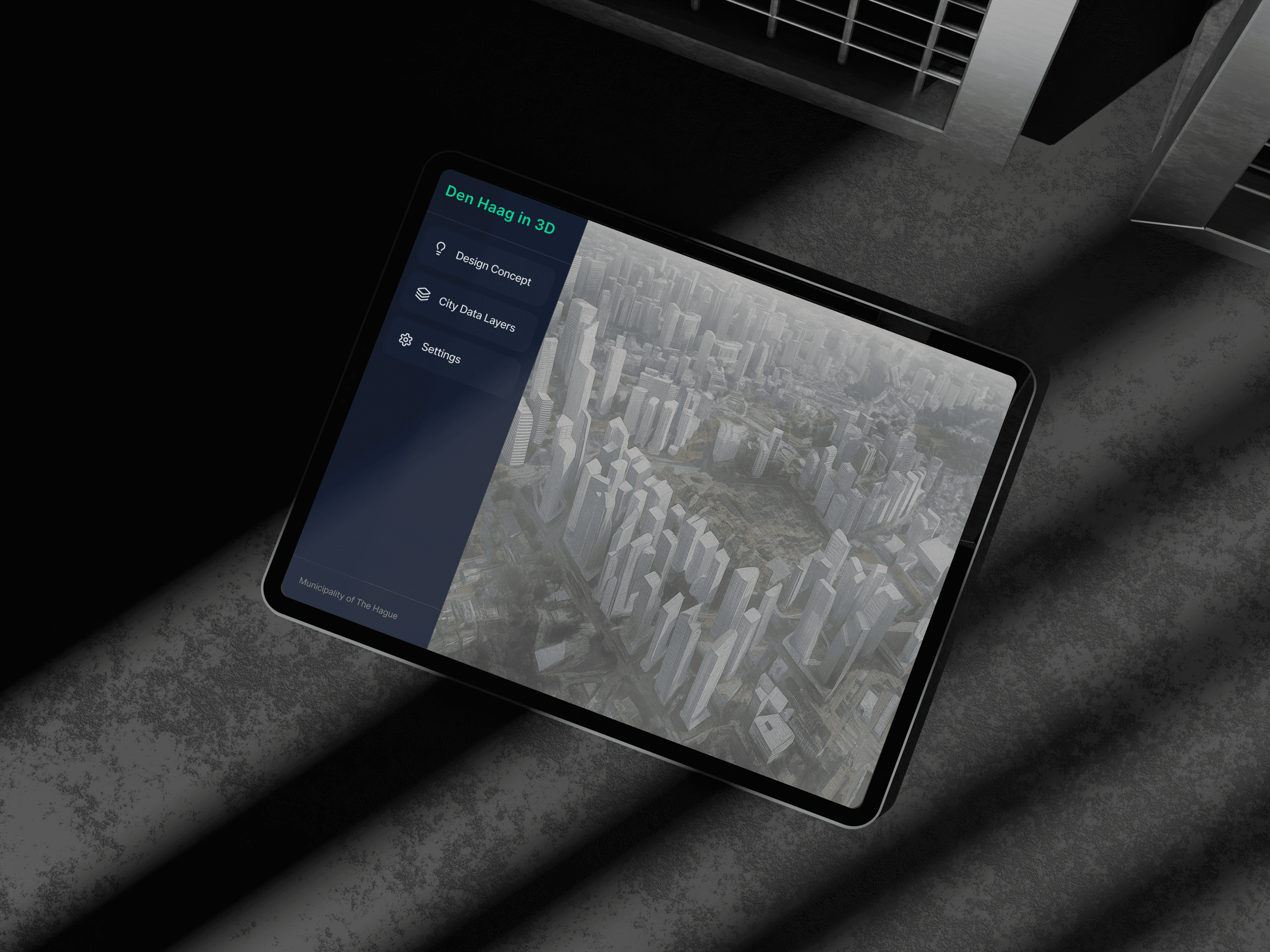
An interactive 'Phygital' installation that transforms complex urban datasets into an intuitive discovery experience, allowing citizens to explore and compare city data via a tablet-controlled 3D projection mapping system.
The Challenge
bridge the gap between complex urban datasets and human understanding by transforming abstract numbers into an intuitive, interactive physical digital installation.
01 — Problem
Making invisible data visible
01
Data accessibility gap
Rich urban datasets exist, but in static, expert-only formats that citizens and policymakers struggle to read.
02
Lack of context
Tables and dashboards don’t show where things happen, or how traffic, heat and green space relate to each other.
Passive consumption
People receive city data as reports instead of exploring it themselves, so it rarely leads to insight or discussion.
02 — Research Aim
To design and prototype an Interactive 3D City Map that
Q1
User needs - which types of urban data matter most to citizens, students and visitors?
Q2
Visualisation - which forms of visualisation make that data understandable?
Q3
Interaction - how do people want to interact with a 3D city map to stay engaged?
Q4
Adoption & trust - what makes people trust the tool and keep using it?
Q5
Feasibility - which datasets and technologies can support the prototype?
03 — Desk Research
Finding the interactive gap
To build a visualisation that is both technically sound and user centred, I analysed existing urban data projects and The Hague's own data infrastructure.
01
Benchmarking
MIT CityScope and the Kampong Bharu redevelopment model combine physical models, projection and touch controls.
02
Data audit
Datalab The Hague already offers open datasets, and 3DBAG provides the 3D buildings.
03
Market gap
GIS tools intimidate non experts, while a 3D model lowers cognitive load.
04 — Survey
43 respondents, one clear demand
A survey with 43 respondents tested how people use urban data today and what they expect from a physical digital installation.
Data people want to see
Green spaces & trees
56%
Public transport
49%
Traffic & mobility
40%
Demographics
40%
Most wanted features
Toggle data layers
51%
Point-of-interest details
51%
Compare over time
23%
Why they would use it
Personal interest
81%
Academic use
21%
05 — Key Insights
Five key insights from the research
Combining the desk research and survey results gave five key insights that shaped the installation.
01
Immersive 3D visualisation
Projection and 3D models make city data more engaging and easier to understand.
02
Real-time interaction
Touchscreen and modular design allow instant, dynamic data exploration.
03
Intuitive layer control
Simple toggles and highlights help users focus on the data that matters most.
04
Relevant, time-based data
Shows real-world updates like traffic or construction over time.
05
Accessible and inclusive design
Multilingual and easy to navigate for all users.
06 — Personas
A student, a resident and a city planner
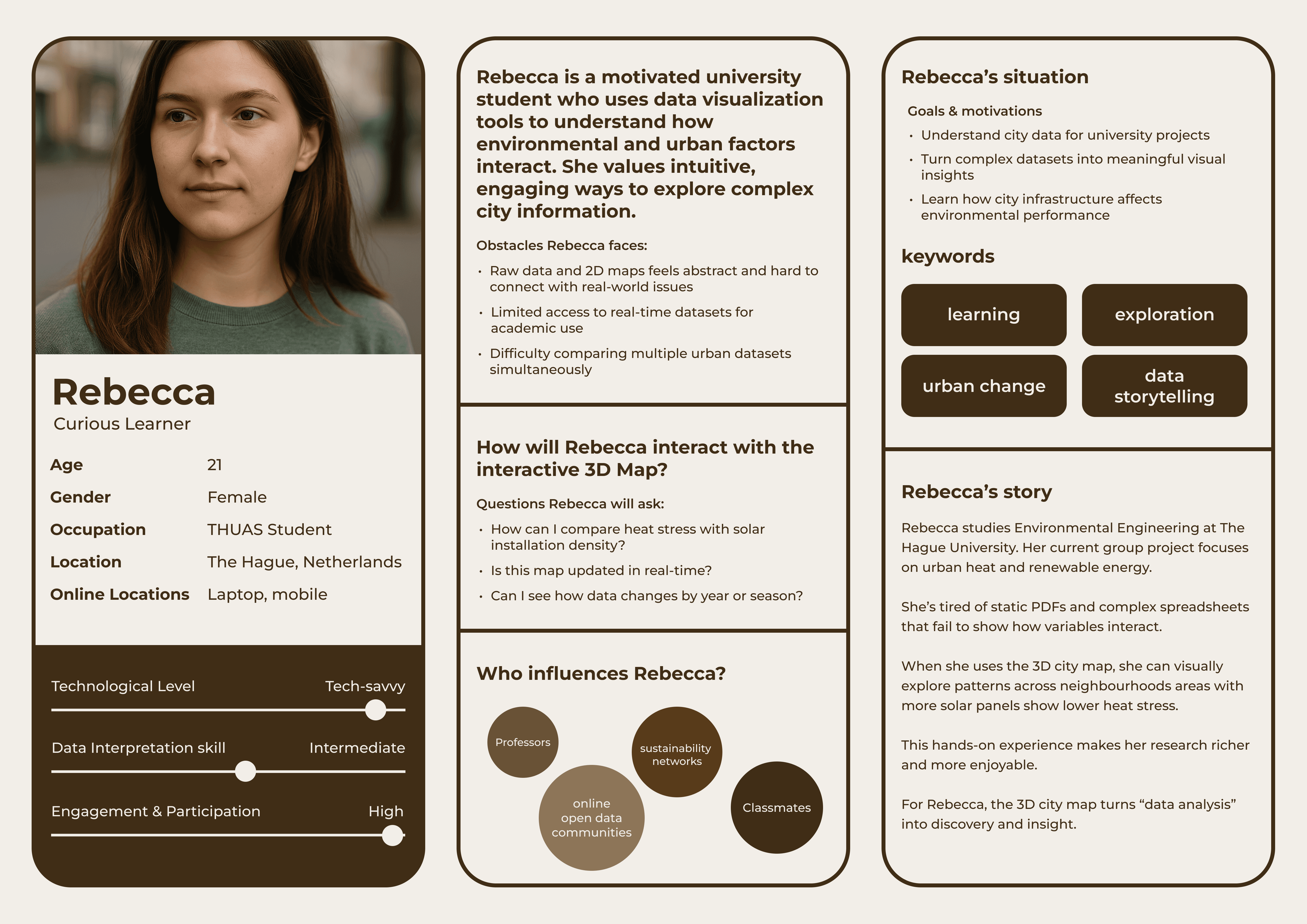
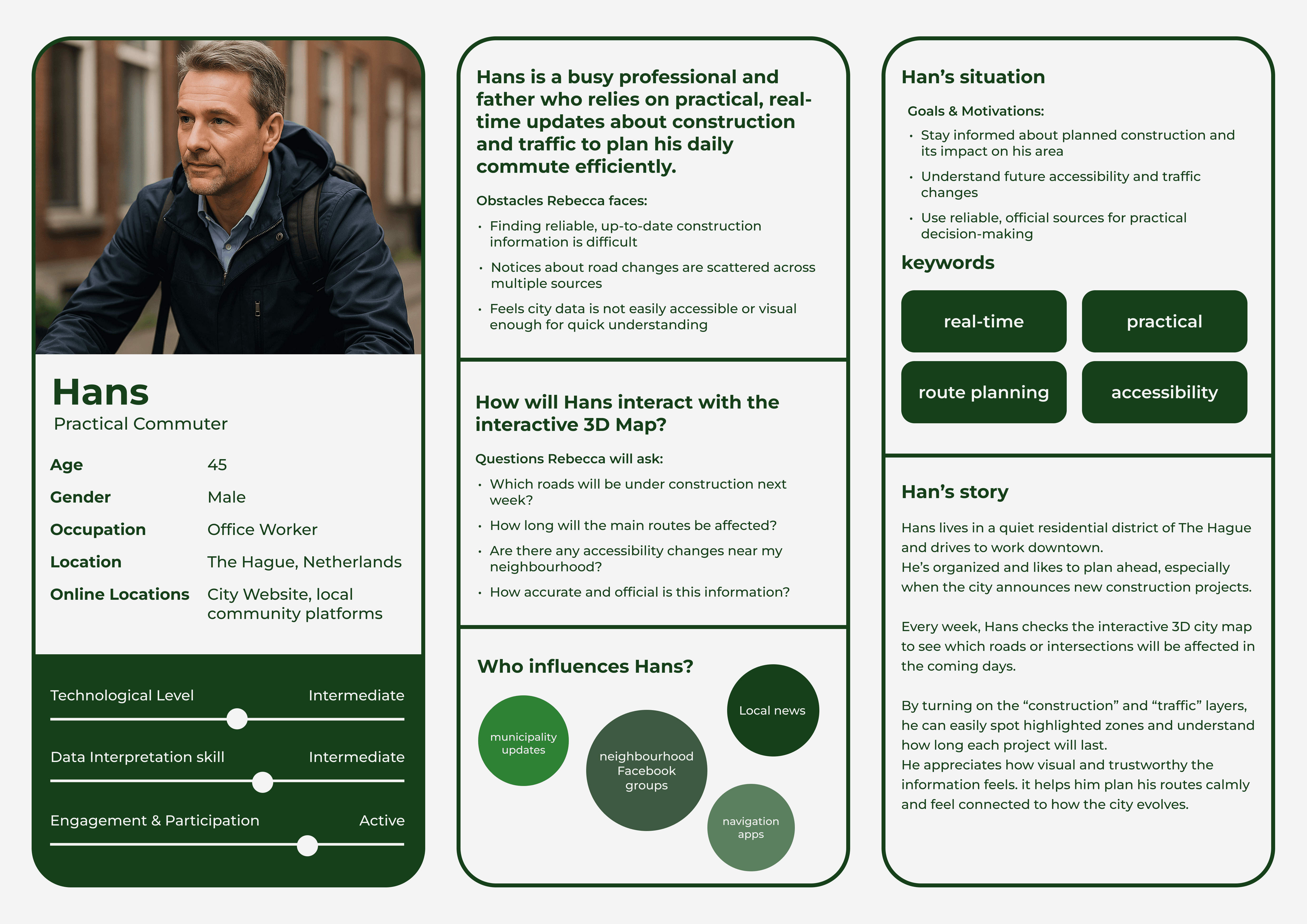
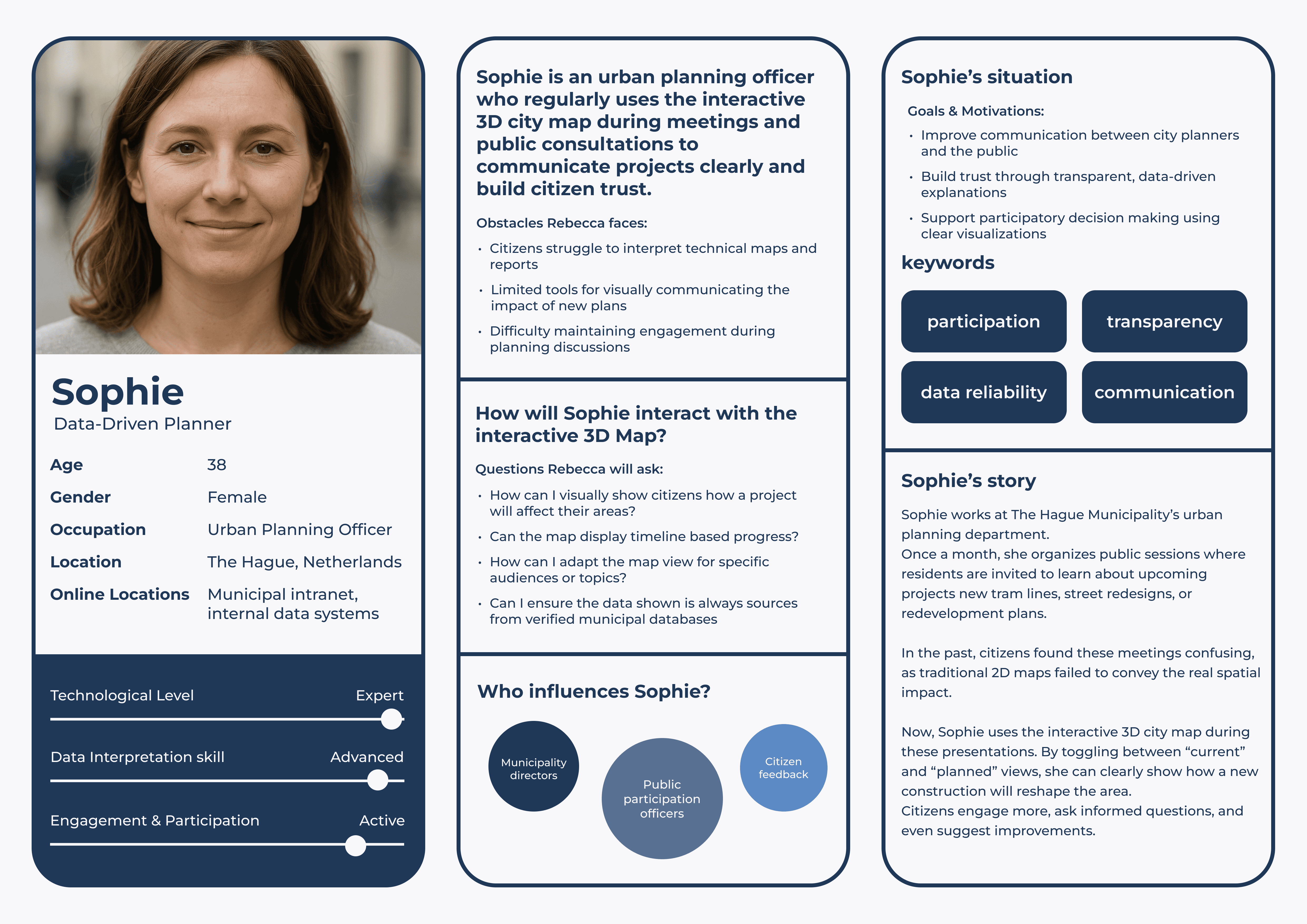
Three personas, a student, a resident and a city planner, turned the research into concrete user stories with different goals for the same city data.
07 — Ideation
From dozens of ideas to one system
Ideas were generated in a 6-3-5 brainwriting session. All ideas were clustered by theme in an affinity diagram, then rated on feasibility–impact chart, building on the needs from the research.
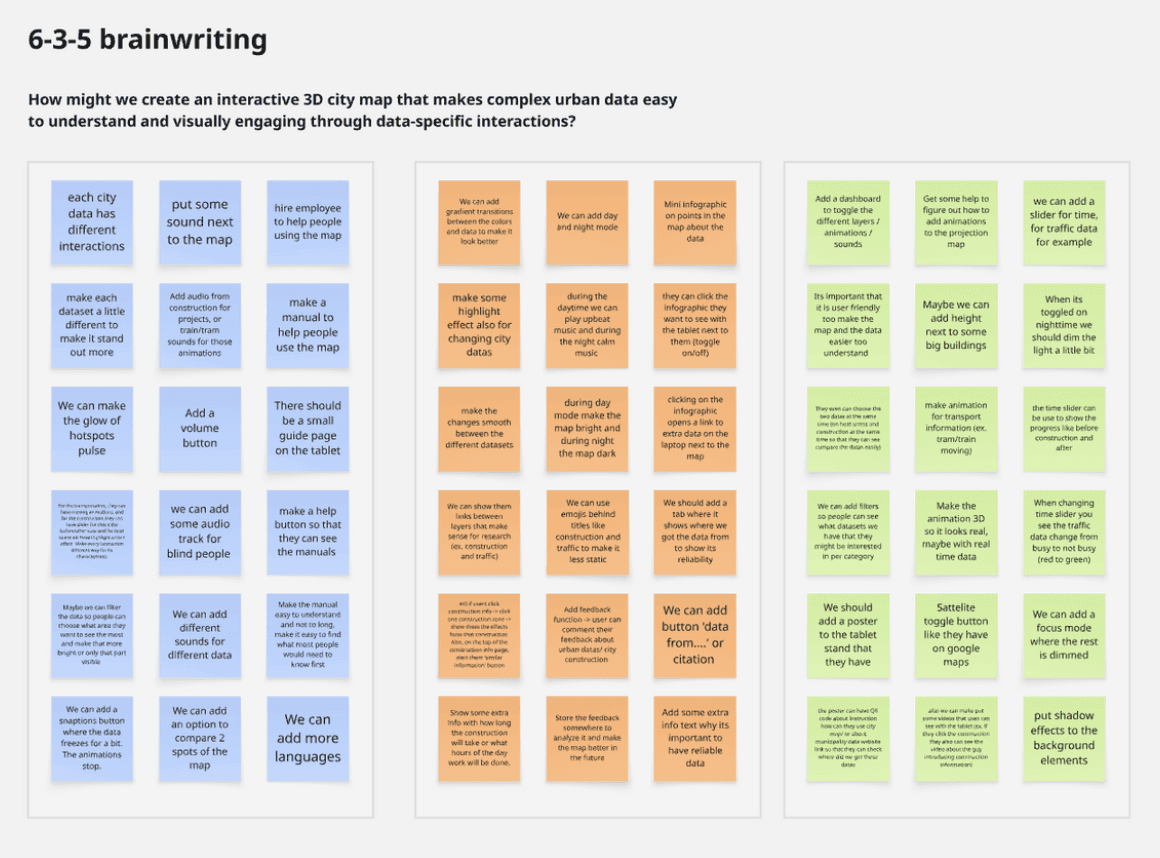
6-3-5 brainwriting
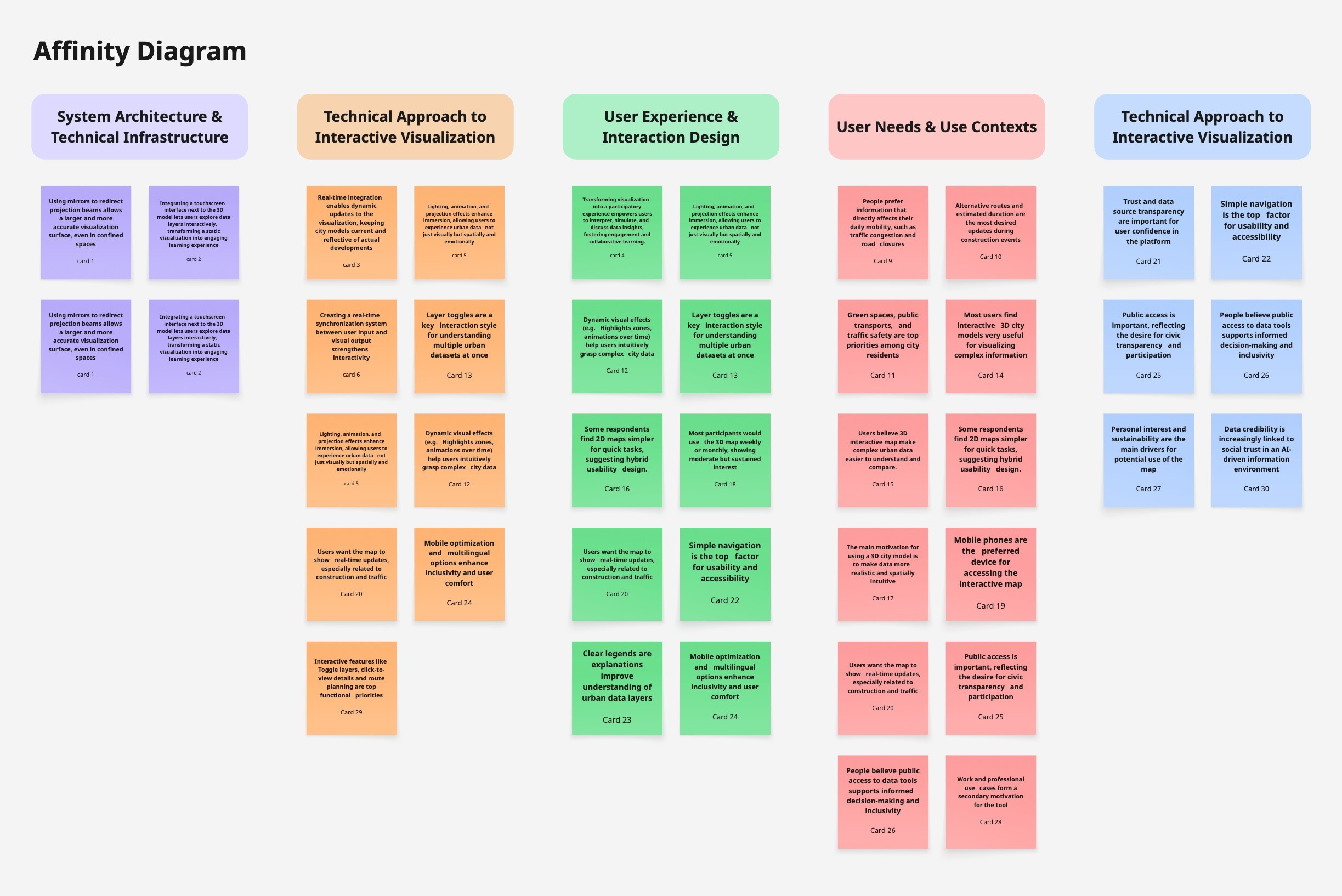
Affinity diagram
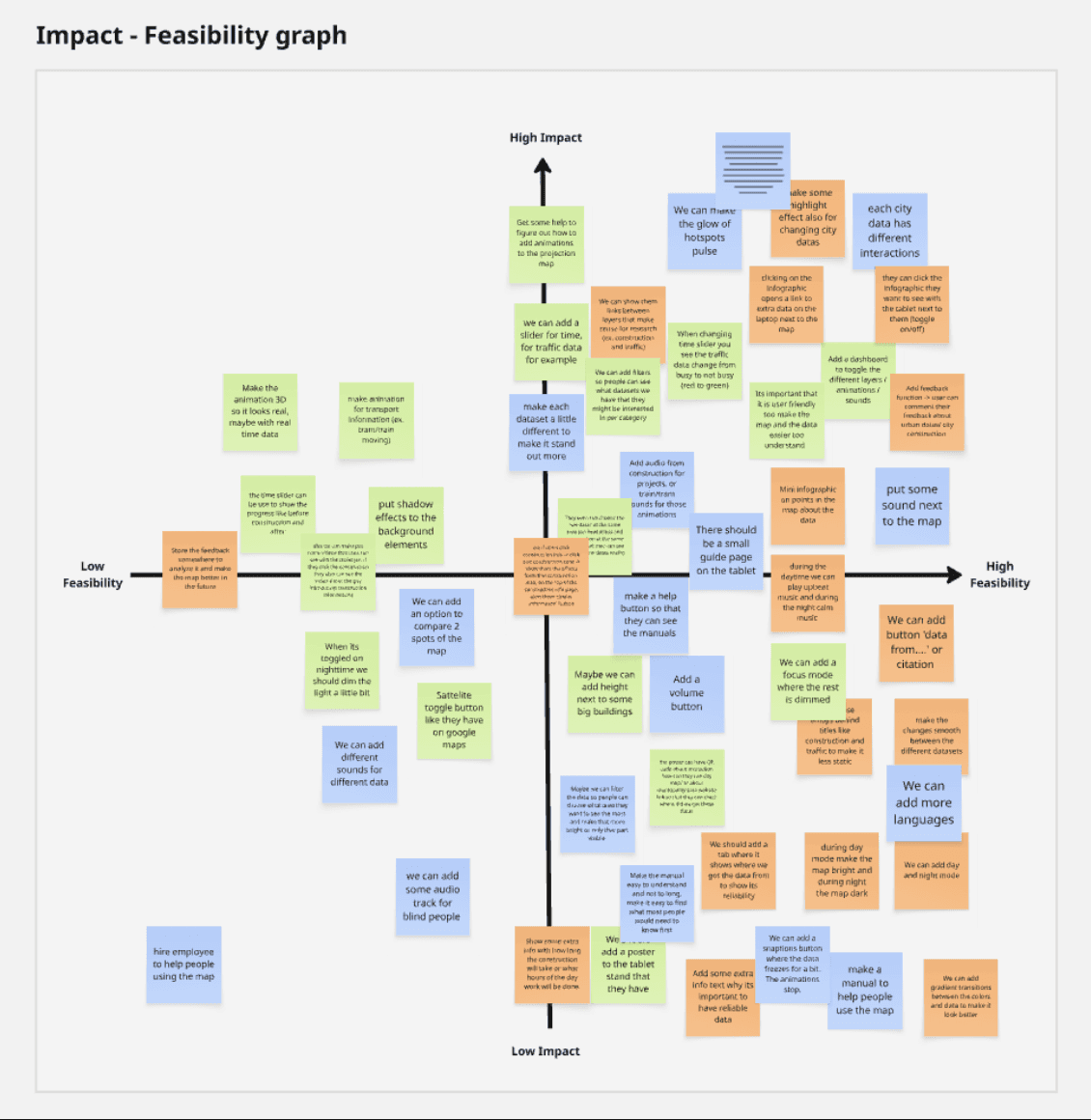
Feasibility–impact graph
08 — Design Direction
Six directions for the tablet interface
The research and the highest-scoring ideas were turned into six directions for the tablet interface: what it shows, how people control it, and how it makes city data engaging for a first-time visitor standing next to the maquette.
01
Seven layers from research
Instead of every dataset the city holds, the interface offers the seven layers people asked for in the survey and research, so the menu stays short and every option feels relevant.
02
Toggle to project, tap for details
The toggle switches a layer’s projection on the maquette, and tapping the card opens its details in a side panel, so people can explore the model and read more at the same time.
03
Sound for immersion
Matching sound plays with a projected layer, like traffic noise or nature sounds for green spaces, so the data is felt as well as seen.
04
Tools that fit each layer
Each layer gets the tool that suits its data: a timeline filter to browse planned construction, and citizen feedback to react to traffic issues.
05
Readable at a glance
People look at the model more than the screen, so the interface uses high contrast, large touch targets and clear on/off states that work in a quick glance.
06
Easy for every visitor
An EN / NL language switch, plain layer names and a short start tutorial help first-time visitors get going without any help.
09 — UI Design & Development
A tablet that controls the city
I designed and built the tablet interface with an AI-assisted ‘vibe coding’ workflow: Figma Make turned my designs into front-end code, and Cursor helped link every toggle to its ArcGIS layer, so each tap switches that layer’s projection on the maquette in real time.
01
Two controls on every layer
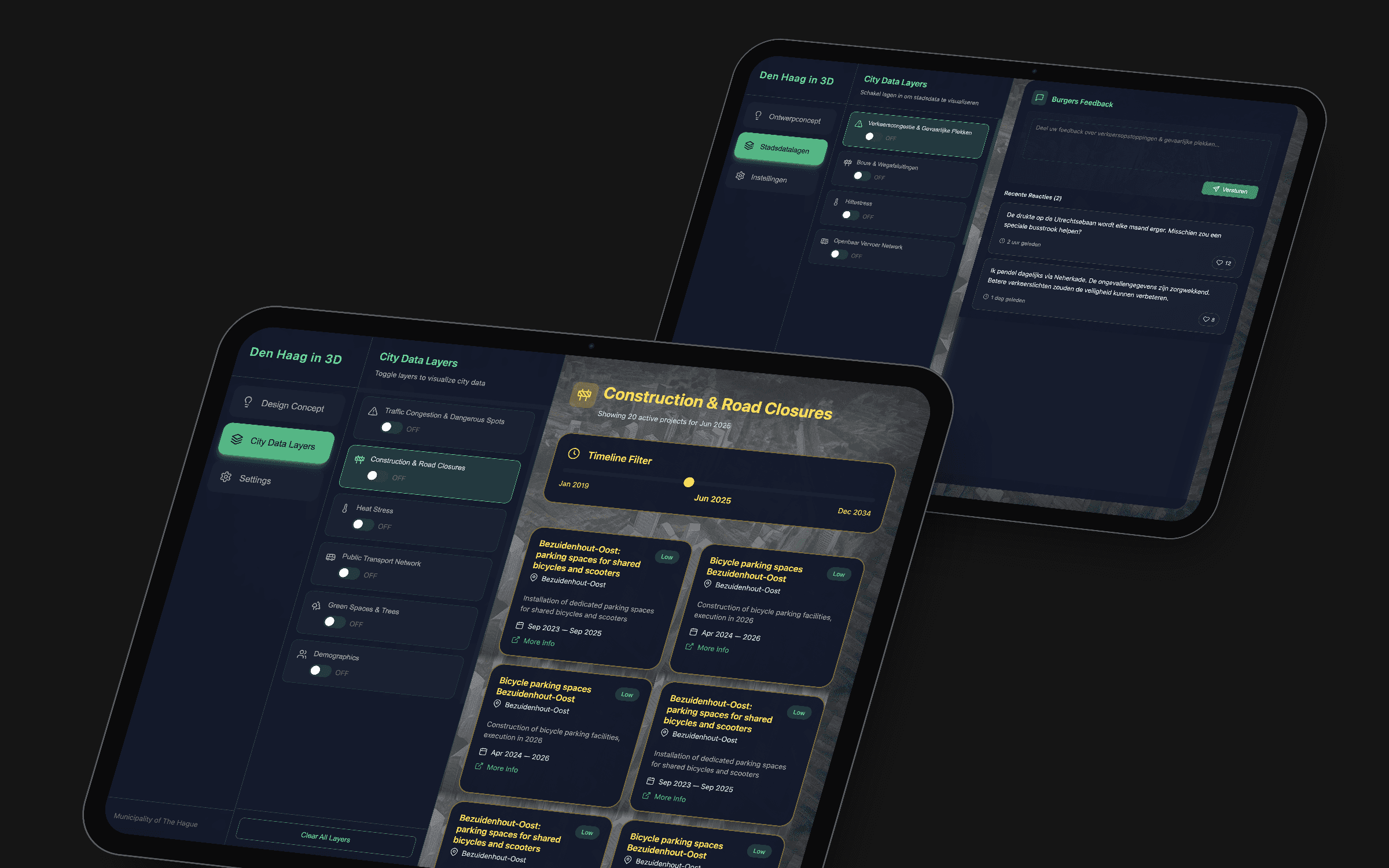
On the City Data Layers screen, every layer card does two things. Tapping the card opens that layer’s details in the panel on the right. The toggle only switches its projection on the maquette on or off.
Why — keeping “show it on the model” separate from “tell me more” lets people steer the projection and read the details without one action getting in the way of the other.
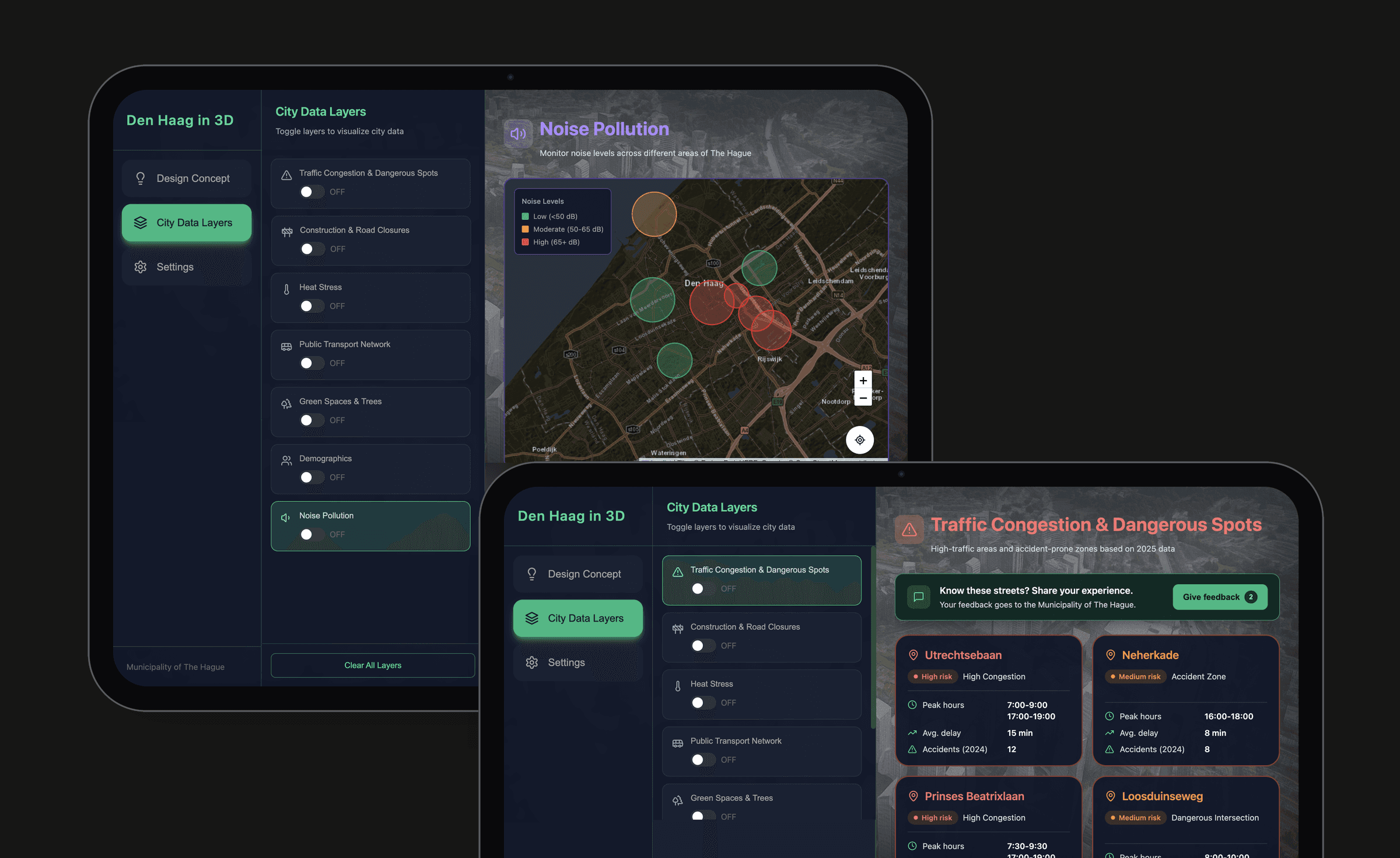
02
Controlling the projection
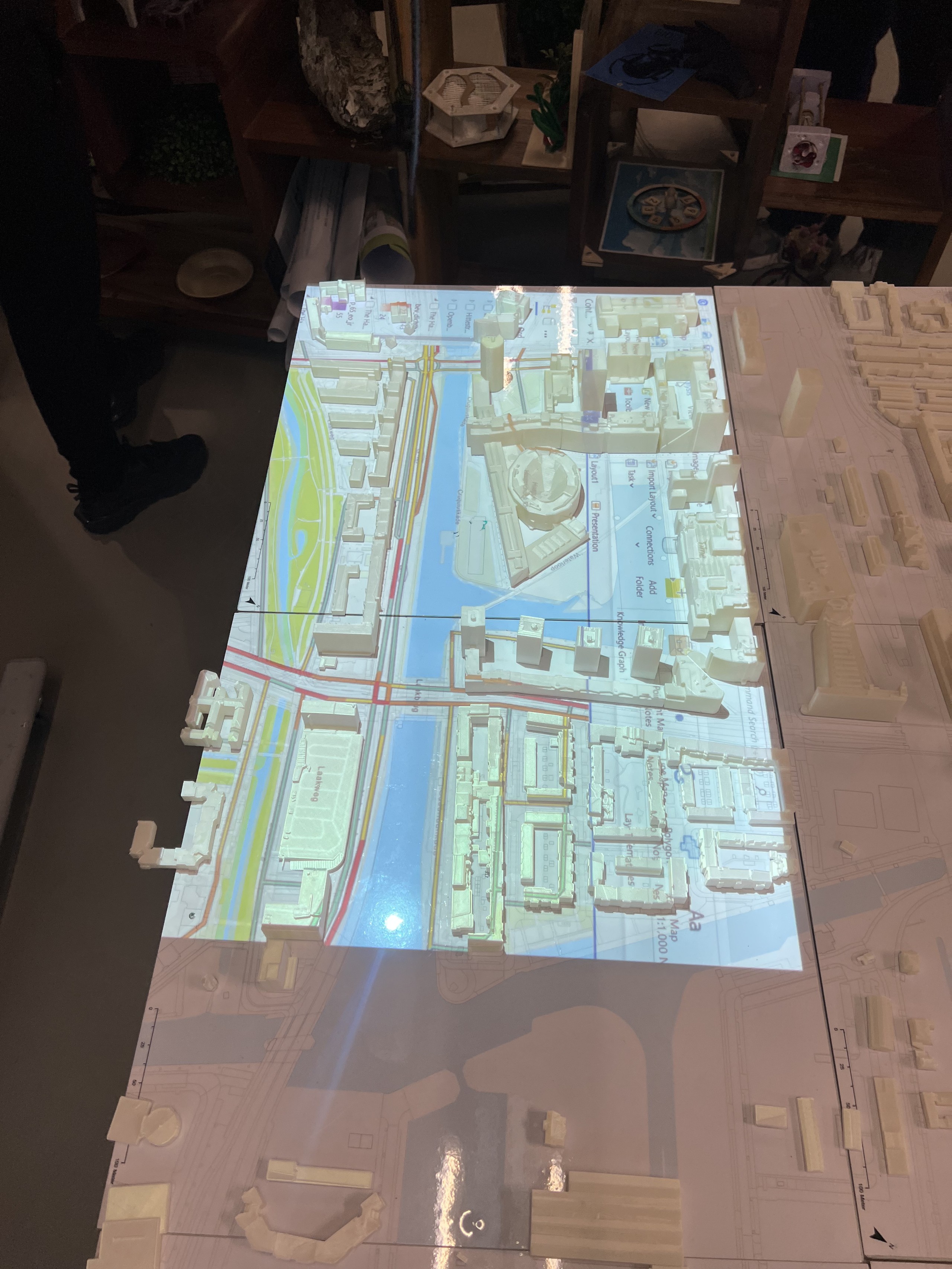
The tablet stands right next to the large 3D maquette of The Hague. Each toggle is linked to its layer in ArcGIS, which is projected onto the model, so one tap lights that data up on the real streets and buildings.
Why — the maquette shows where something happens and the tablet explains what it is, so people can look up at the model and still stay in control.
Web interface — switching a layer
ArcGIS — the projected layer updating
03
On the 3D maquette
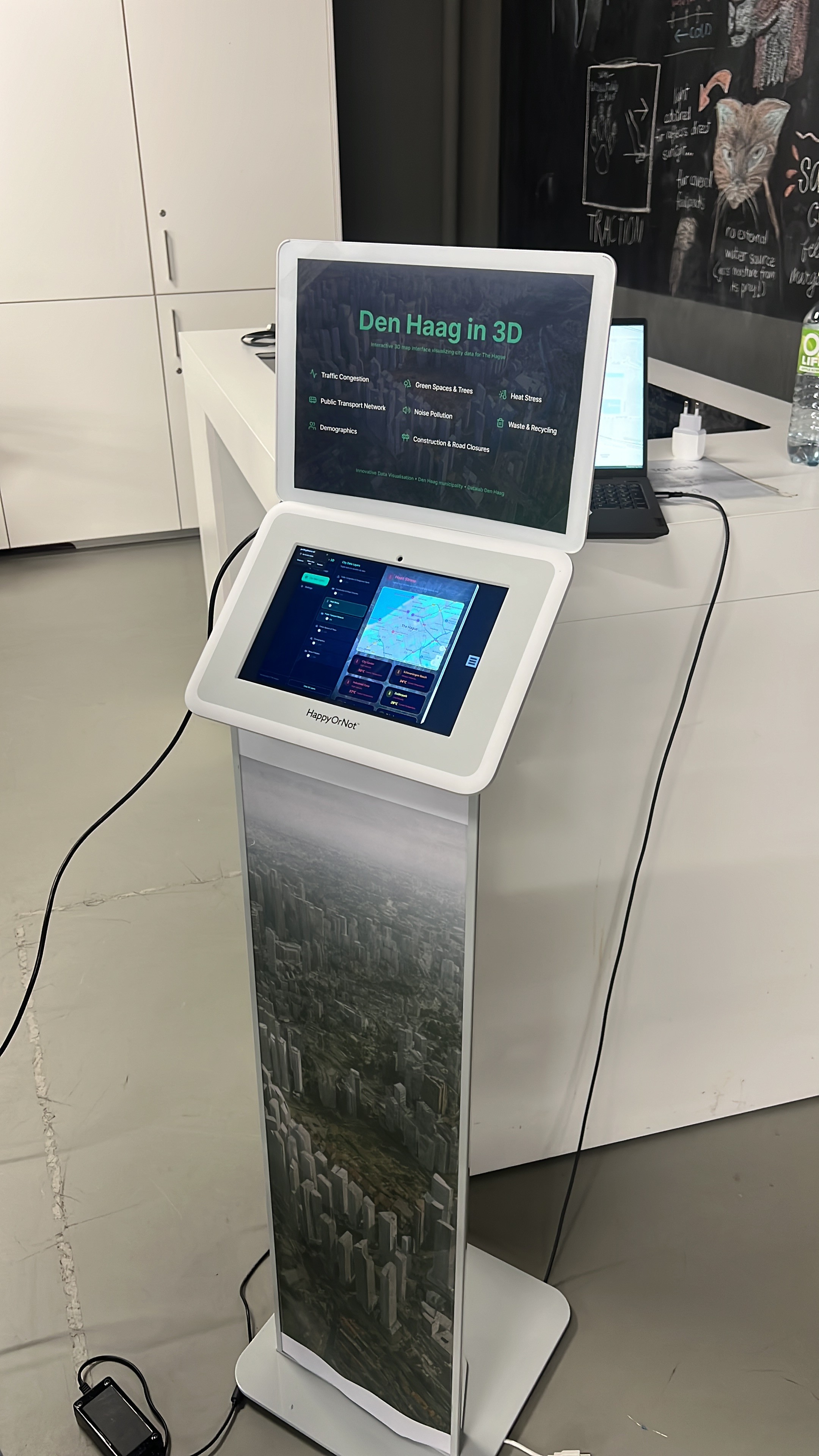
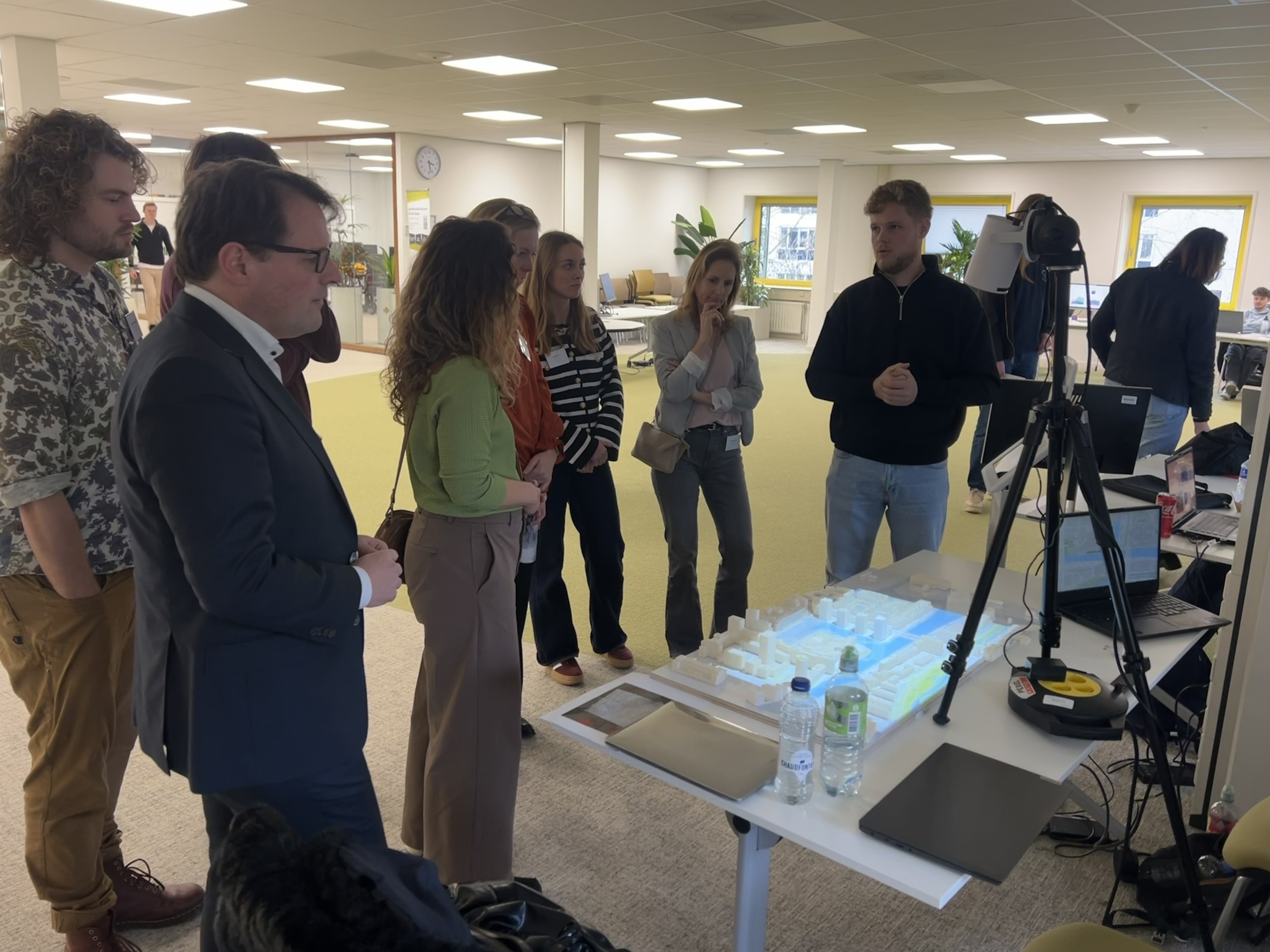
The tablet in use beside the maquette, with the selected layers projected onto the city model.
Why — visitors look at the model, not the screen, so every control had to work at a glance: large targets, clear on/off states and one-handed use.
10 — Testing & Iteration
What the pilot test taught me
A task-based pilot test with five participants showed how first time visitors used the tablet interface.
Pilot test scores (n = 5)
Ease of use
9.5/10
Clarity of information
9.6/10
Understanding of layers
10/10
Feedback 01
Discoverability
Some elements weren’t recognised as clickable, so toggle states, icons and contrast were made stronger.
Feedback 02
Orientation
Users wanted to know which neighbourhood they were looking at, so clear area labels became the next step.
Feedback 03
Terminology
Some data terms were too technical, so short plain language layer descriptions became the next step.
11 — Final Exhibition
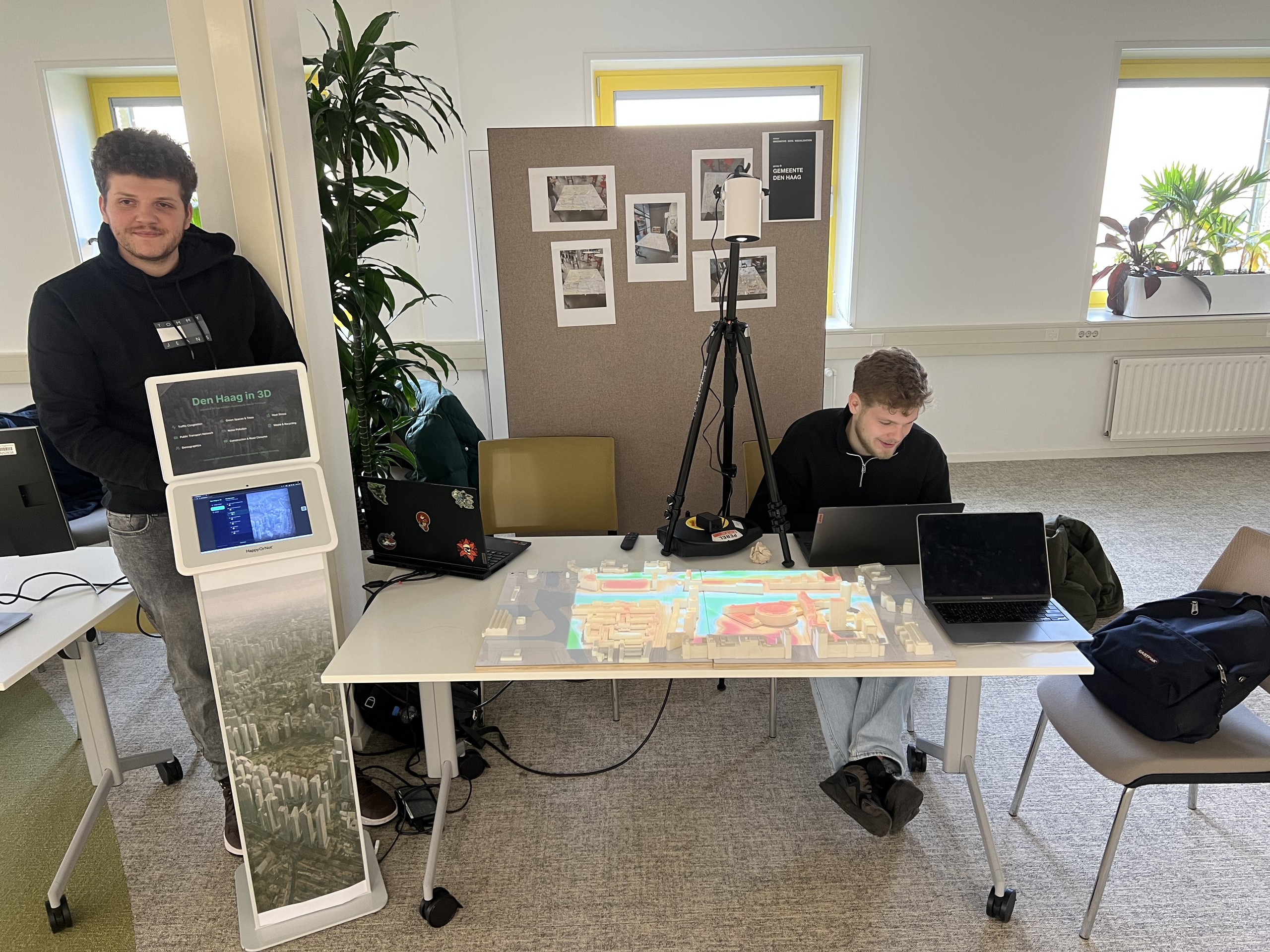
Exhibition day, 26 January 2026
The installation was presented at the final exhibition where visitors used the tablet to explore city data on the maquette.
Next Project
See final product ↓