UX & Product Designer
THUAS Open Day
A mission-based app that turns the CMD Open Day into a journey for future students.
Overview
A gamified mission app that turns the passive CMD Open Day at THUAS into an engaging, student-led journey that reflects the programme's digital identity.
The challenge
CMD/UXD is all about digital and interactive design, yet its Open Day stayed passive, paper-based and hard to navigate.
01 — Problem
The disconnect between identity and experience
- 01
Passive participation
Visitors watch posters and presentations without a sense of belonging or doing.
- 02
Analogue dependency
Printed brochures and maps clash with a programme built on digital innovation.
- 03
Fragmented journey
Expos, workshops and labs across the 6th and 7th floors feel disconnected.
02 — Research
What do future students expect from an Open Day?
I asked what interactive experiences prospective students hope for, what keeps them engaged, and what best shows the programme's identity. Desk research mapped the gaps, a survey validated them, and interviews explained the why.
What visitors want most
03 — Synthesis
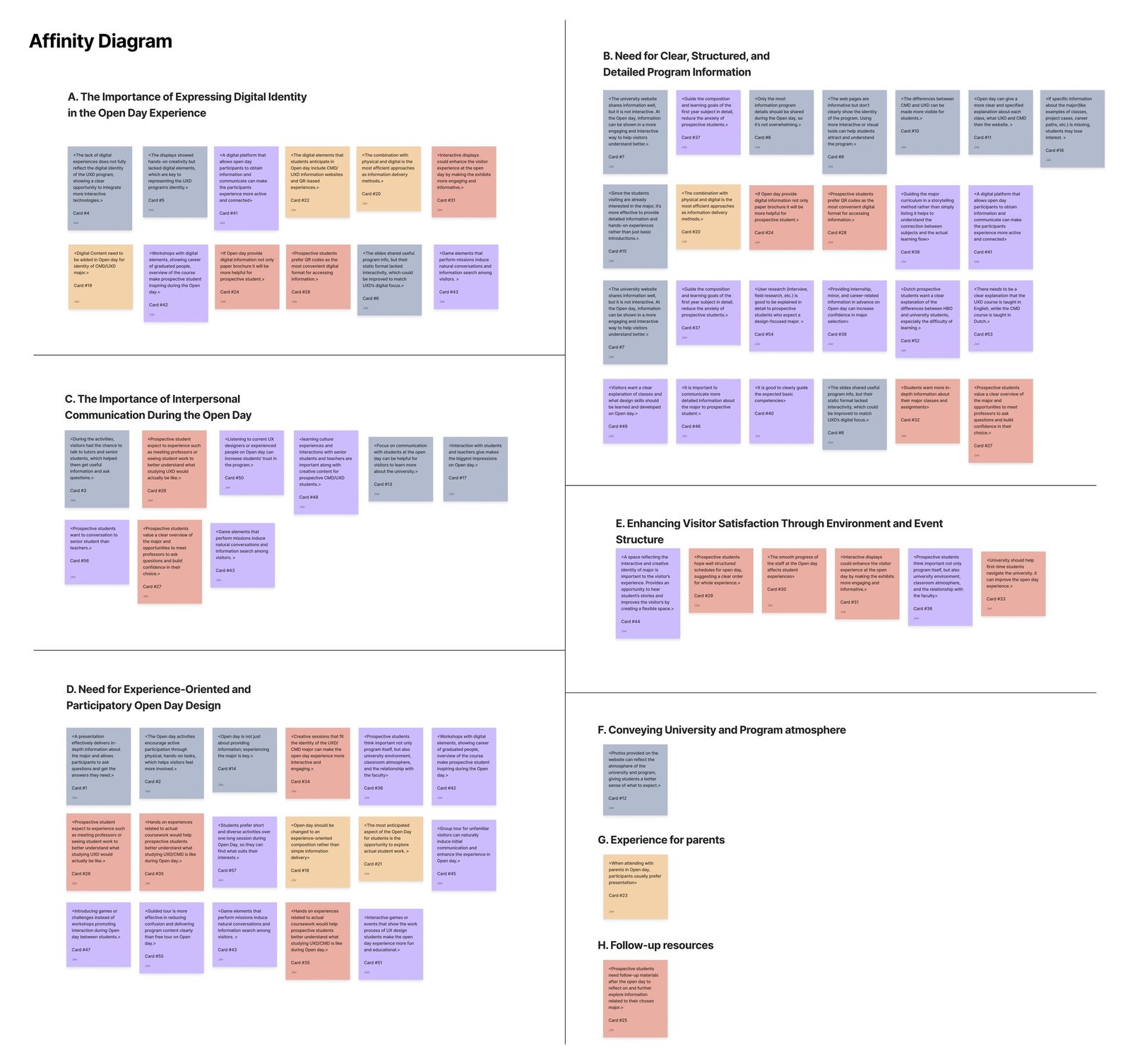
From raw data to five insights
Every finding from the desk research, survey and interviews was clustered in an affinity diagram.
- 01
The last Open Day lacked CMD's digital, interactive side.
- 02
Conversations are what visitors remember.
- 03
Visitors want to take part, not just listen.
- 04
Student work is the strongest hook.
- 05
Digital and physical work best together.
04 — User journey map
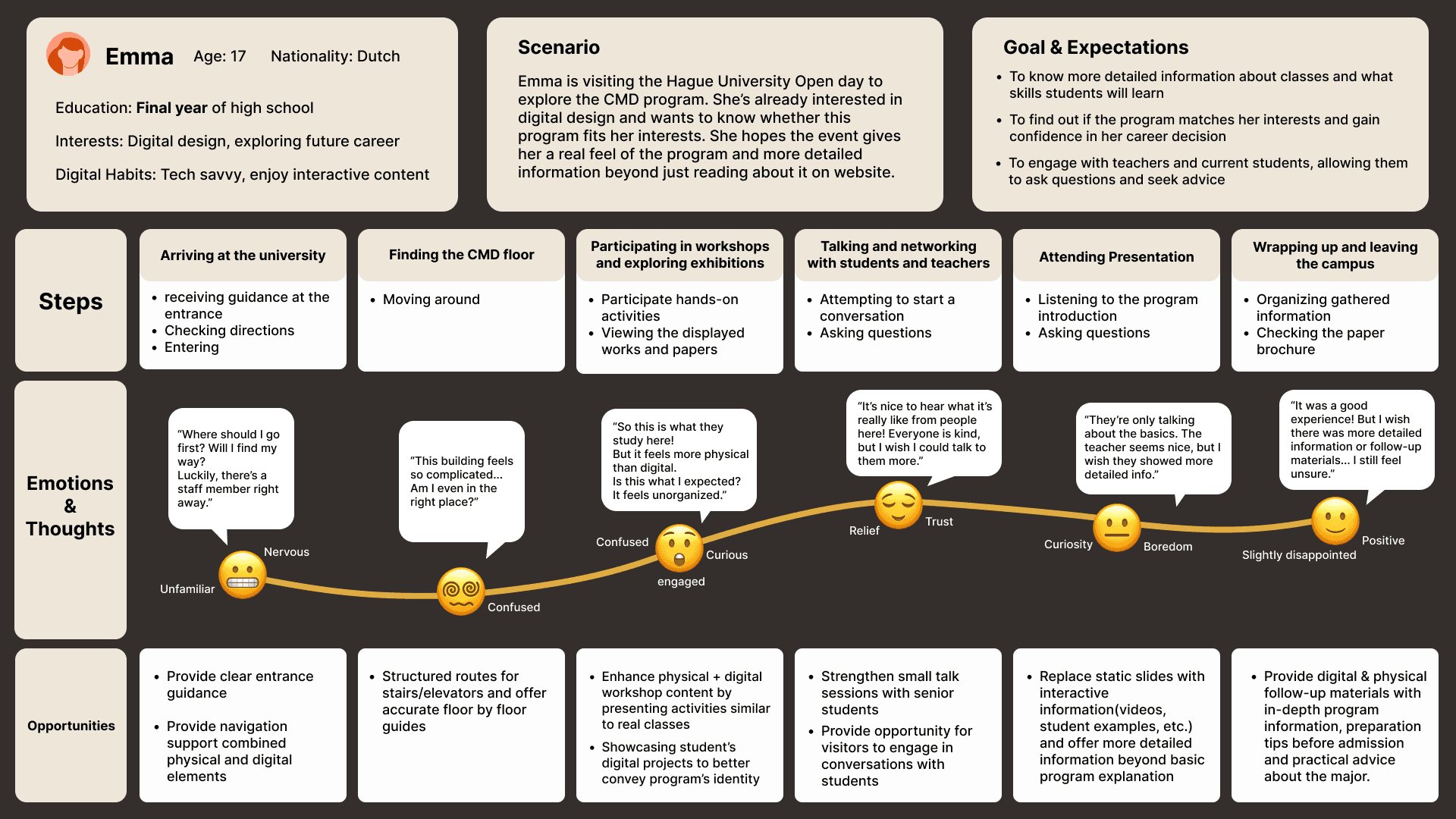
The emotional landscape of a visit
Mapping how a prospective student feels while moving through the campus exposed the gap between expectation and reality.
05 — Design direction
Four strategies for engagement
Each direction answers a friction point found in the journey map.
- 01
Immersive and interactive
From information delivery to active participation: hands-on workshops and missions let visitors experience the programme first hand.
- 02
Clear visitor guidance
Digital navigation combined with physical cues, so visitors explore the campus with confidence.
- 03
Detailed, diverse information
Assignment examples, career roadmaps and follow-up material that supports the decision after the event.
- 04
Meaningful conversation
Gamified "trigger moments" that lower the social barrier, so real conversations happen naturally.
06 — Ideation & prioritisation
Diverging, then converging
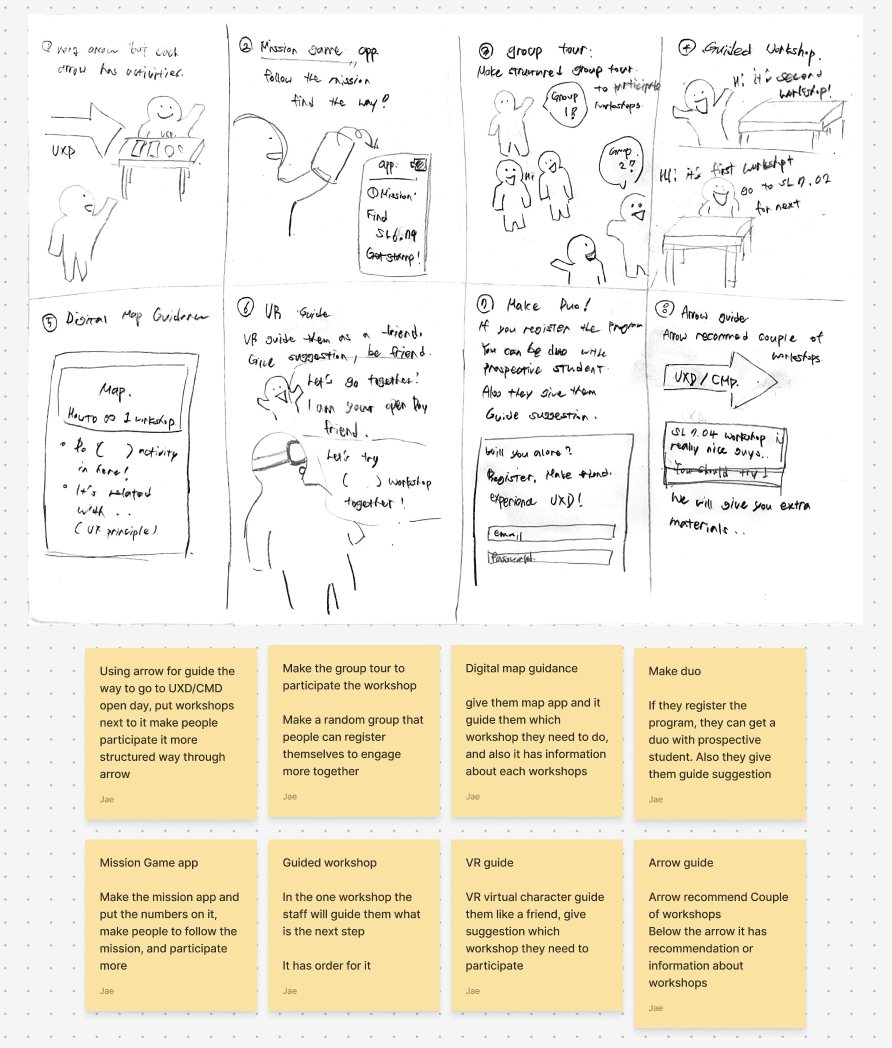
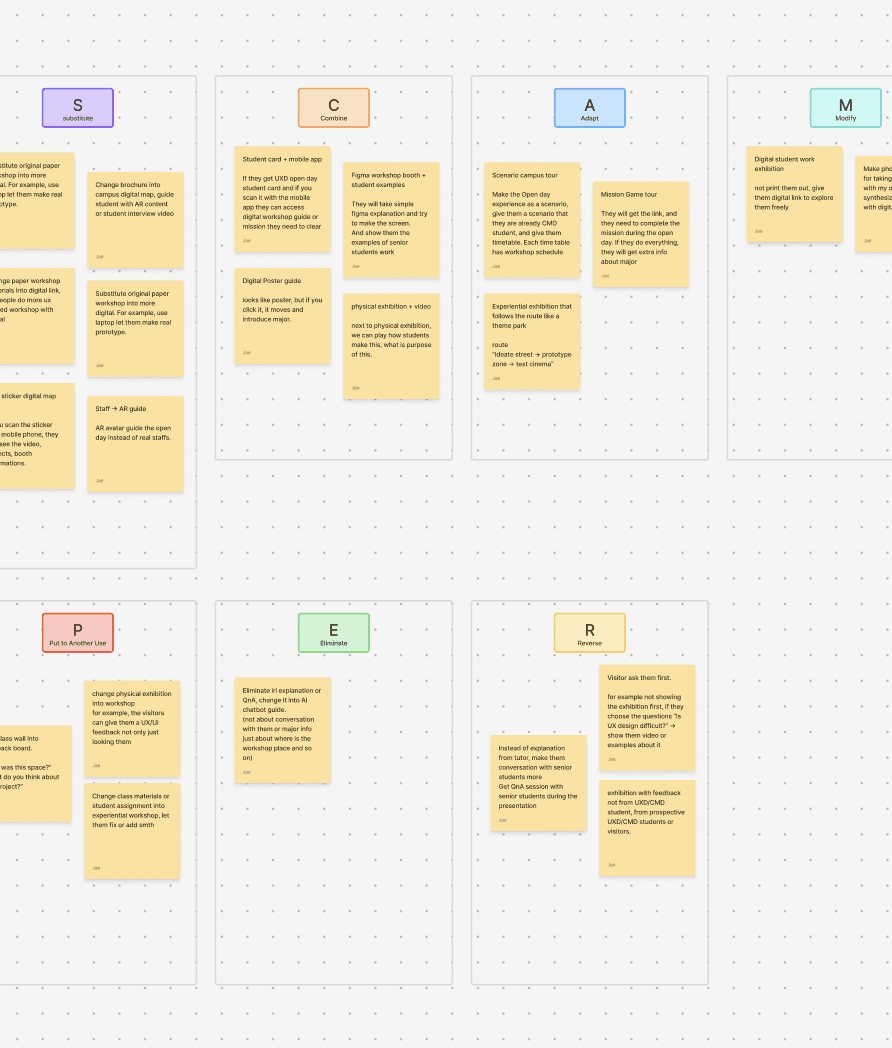
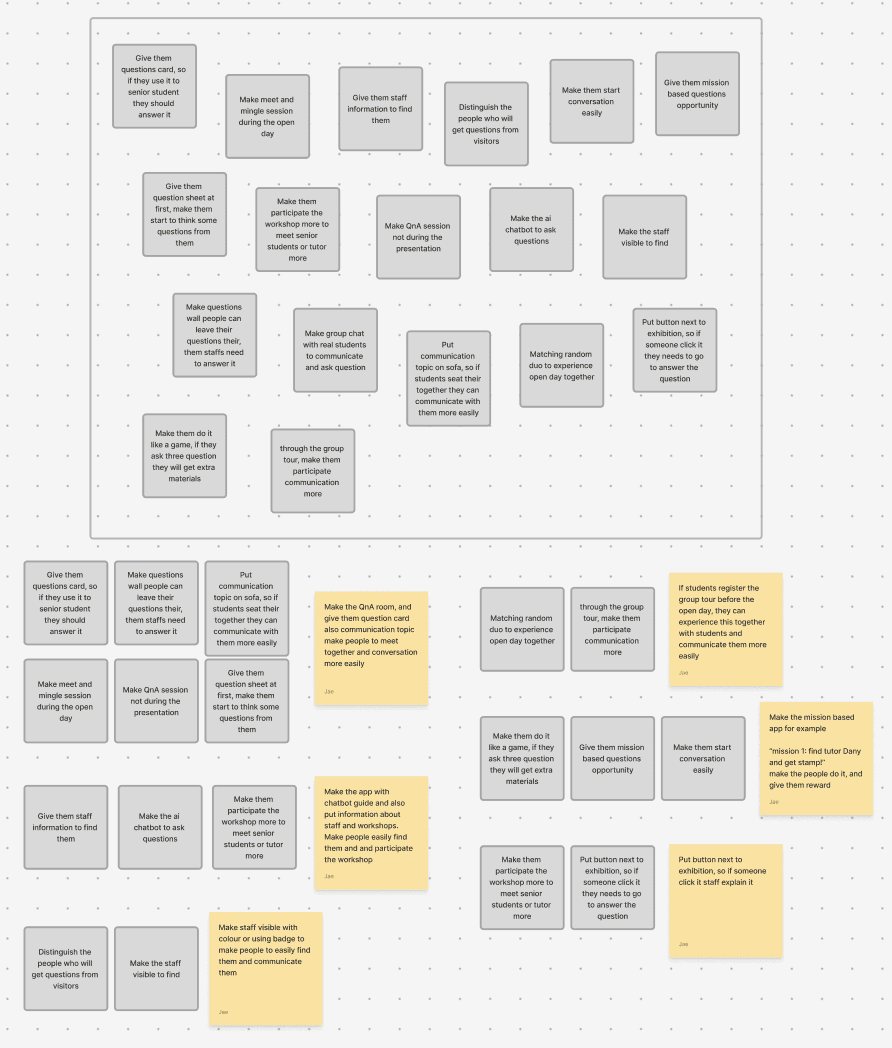
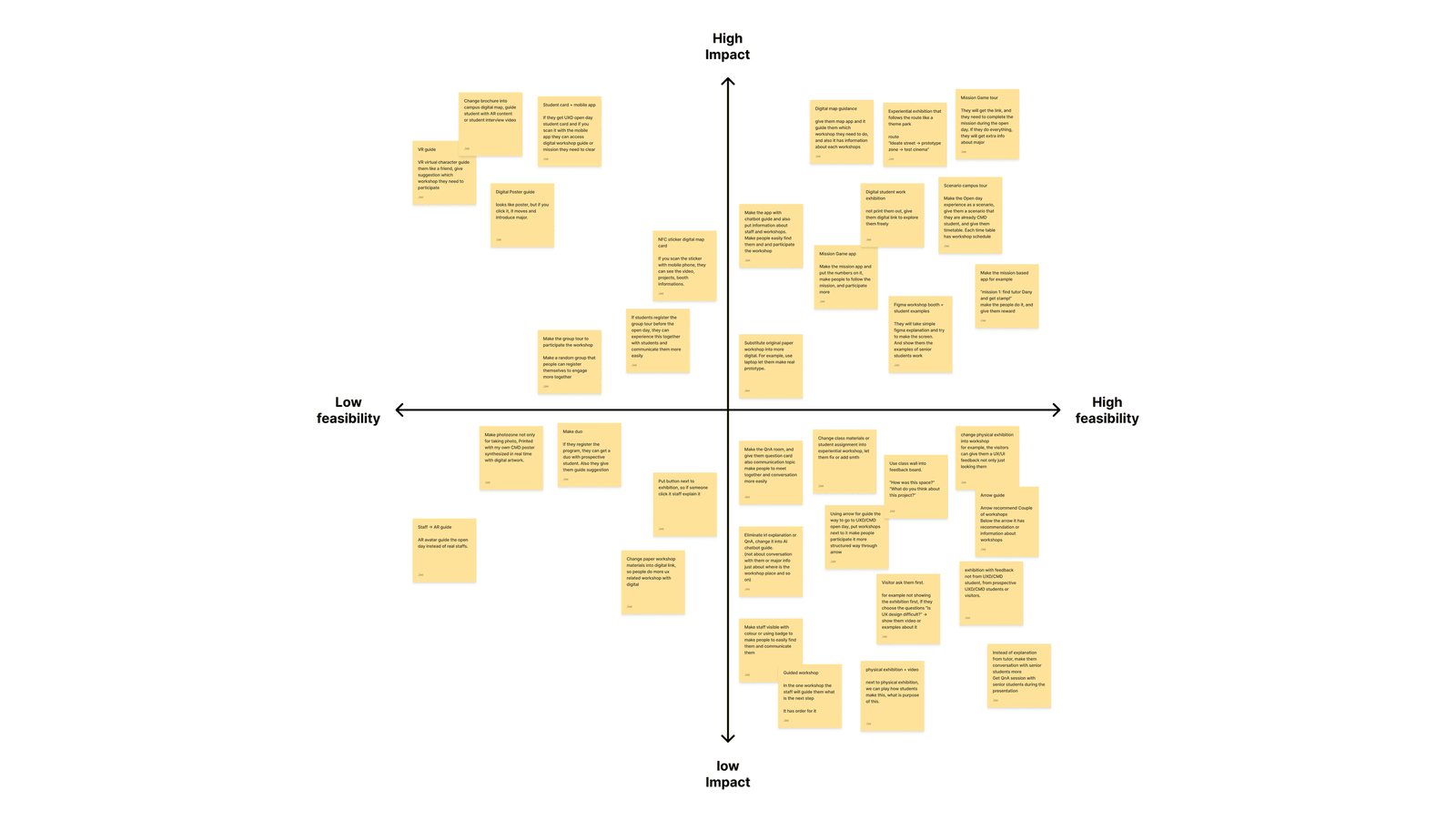
Crazy 8s, SCAMPER and brain dumping generated dozens of ideas around three how-might-we questions, from small digital touchpoints to large physical interventions. An impact/feasibility matrix then filtered them down to concepts that were both new and realistic at THUAS.
07 — Prototype & flow
One board, six missions, one reward
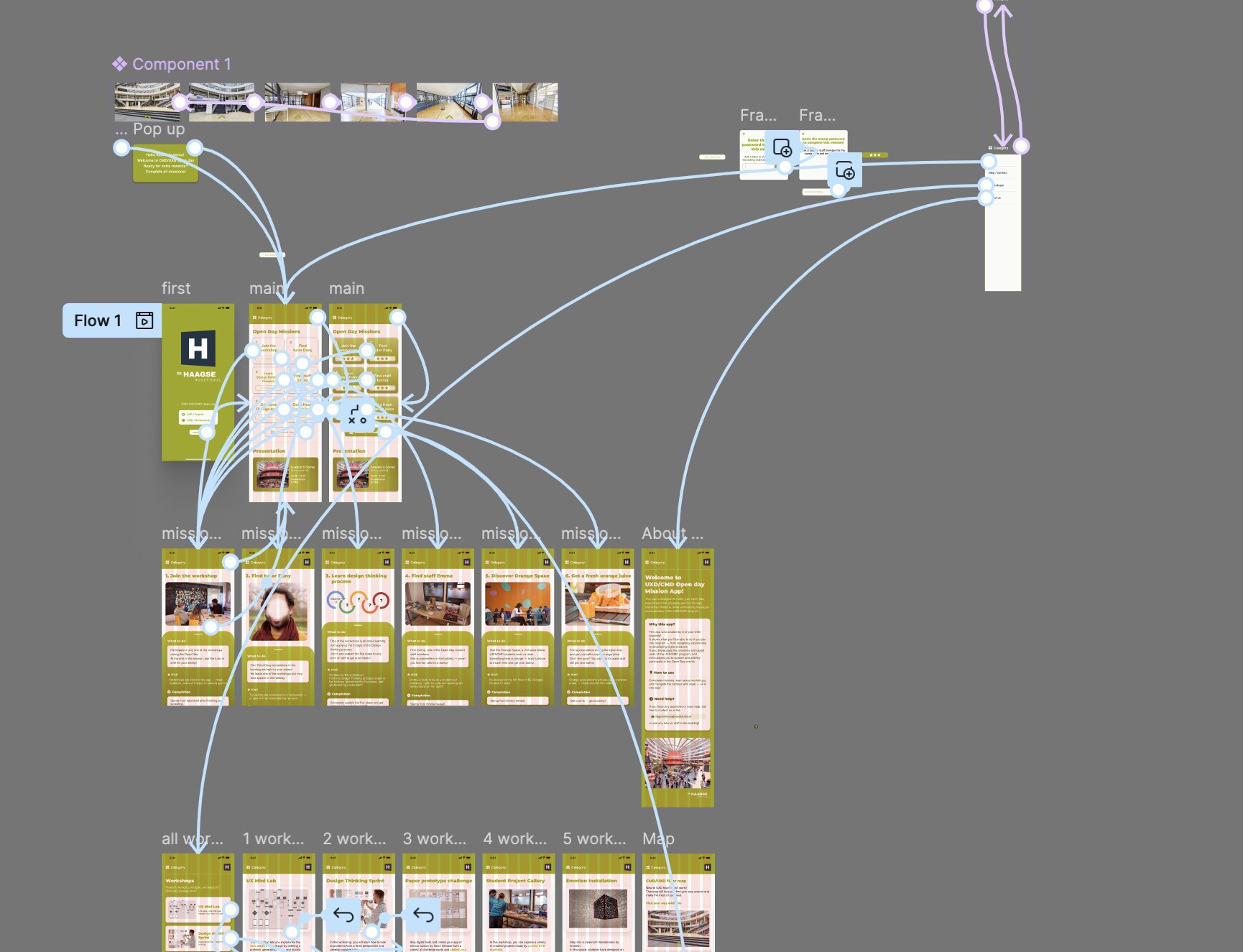
I mapped how a visitor moves through the app before designing the final screens. Everything starts from the mission board; the category menu reaches workshops, the floor map and About from any screen. I then connected every screen in a clickable Figma prototype and tested it with five people in recorded sessions; most found it intuitive, and their feedback helped me tidy up the navigation.
08 — Final solution
CMD Mission Tour
A gamified mission app that turns the Open Day into an engaging, student-led journey across both floors.
Six missions, one Open Day
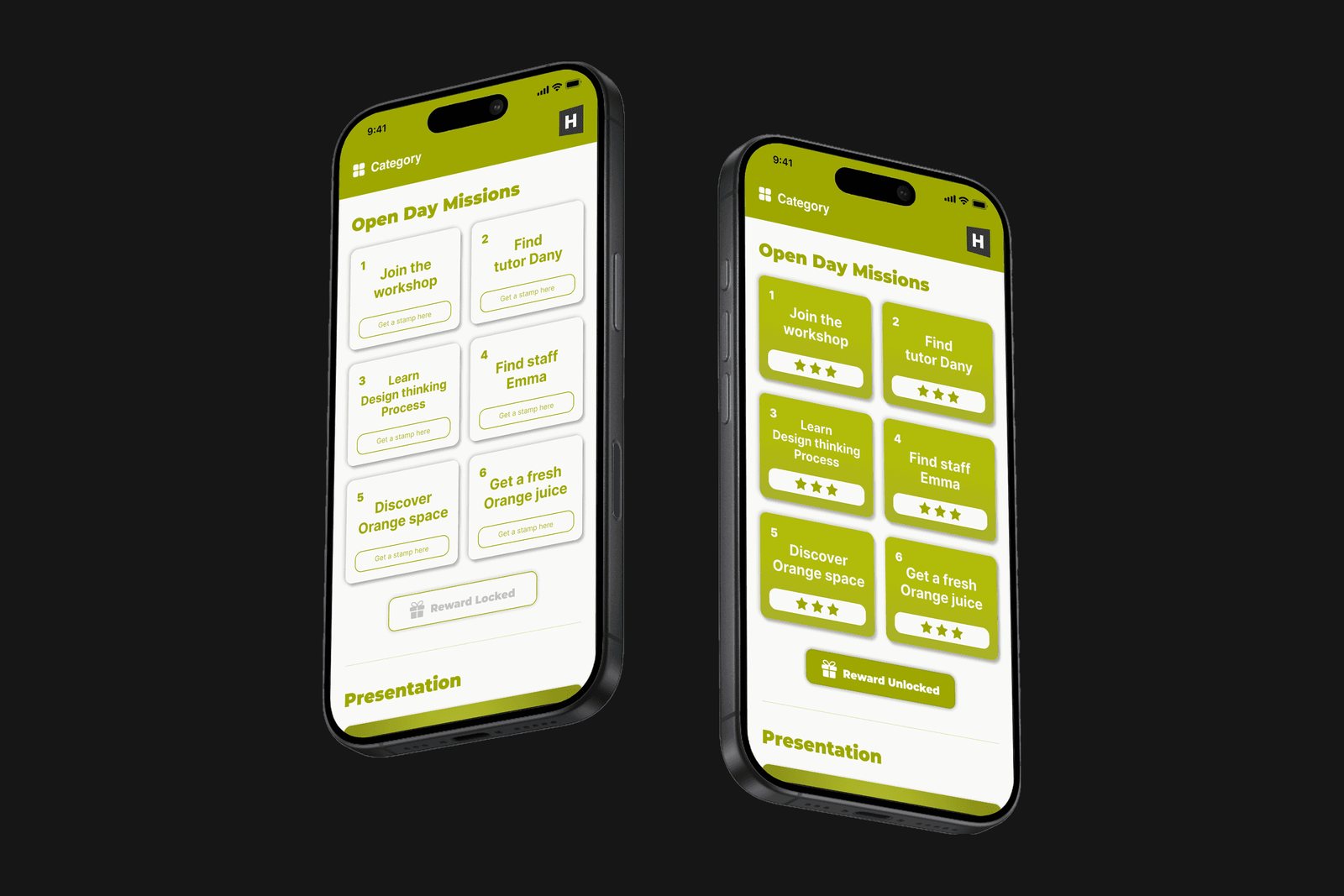
The home screen turns the visit into six missions, each stamped by a tutor or staff member. When every stamp is collected, the reward unlocks.
Why Visitors wanted to take part, not just listen. Missions give them a reason to move, ask and explore.
Every mission tells you where to go
Each mission explains what to do and how to complete it, with a hint and a photo of the place or person to look for.
Why Conversations with students and teachers were the most memorable part of the day. Missions turn them into a goal.
Plan your own hands-on route
All workshops in one list. Each detail page shows location, duration, tutor and the missions it connects to.
Why Hands-on activities and real student projects were what visitors found most interesting.
Walk the building before you get lost
An interactive floor map with real photos. Visitors tap the arrows to virtually walk to the CMD/UXD floors.
Why The two-floor layout confused visitors and made them miss sessions.
A reward to take home
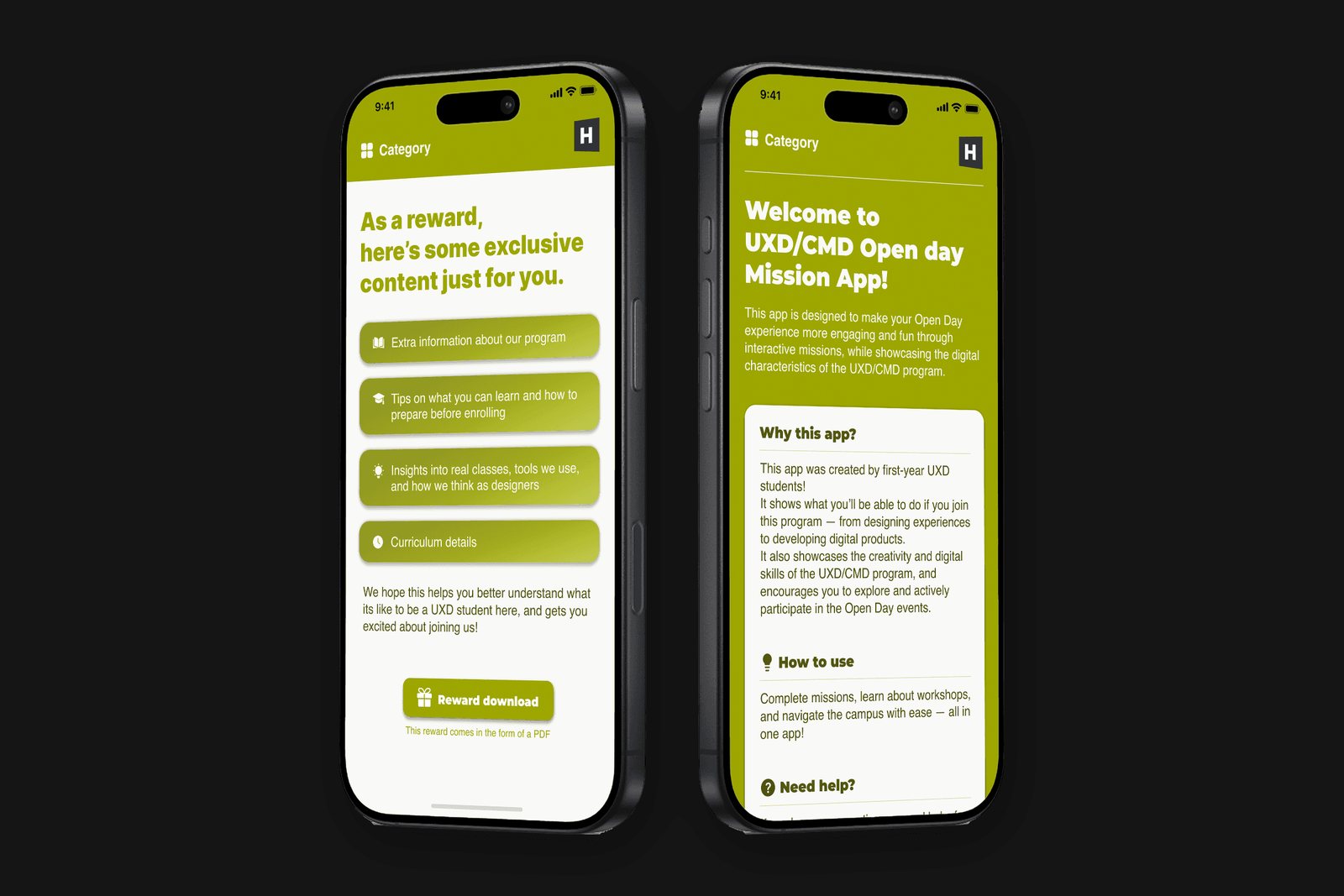
Completing all six missions unlocks a downloadable PDF with curriculum details, tools and tips to prepare. The About page explains why the app exists and where to get help.
Why Visitors wanted more depth about courses than general introductions offered. The app itself shows what students here can make.
Next project
 See case